
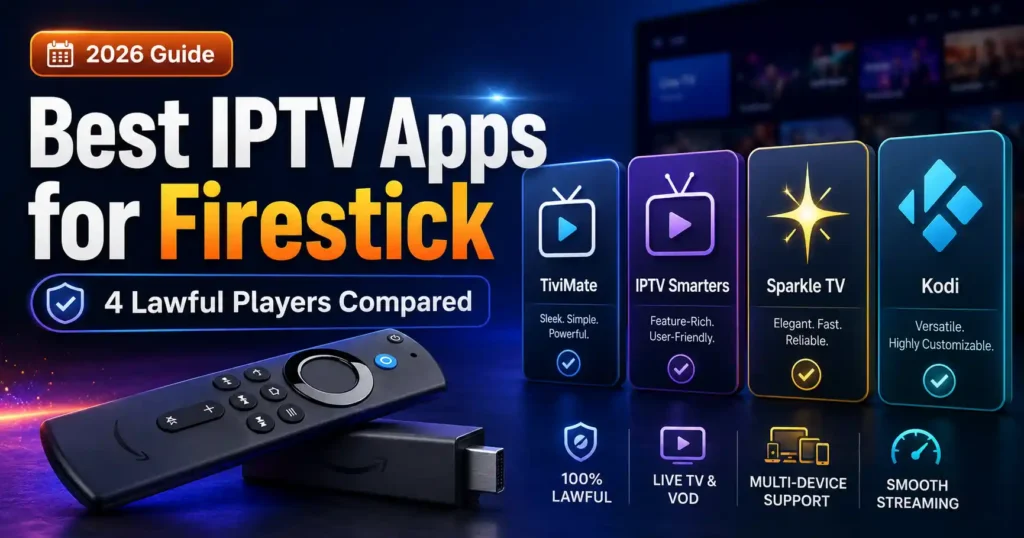
Choosing the best IPTV app for Firestick in 2026 is not simply about picking the app with the longest feature list. Your Fire TV model, operating system, preferred interface, playlist format, electronic program guide (EPG), and the features you actually need can all affect which player makes the most sense.
One important distinction comes first: an IPTV player is not the same thing as an IPTV service. A player provides the interface used to organize and play compatible playlists or media sources; it does not automatically provide television channels. TiviMate, for example, explicitly describes itself as a media player that does not provide content.
For 2026, there is another important consideration: Fire TV is no longer a single operating-system environment. Amazon’s newer Fire TV Stick 4K Select uses Vega OS, while several other current Fire TV devices continue to use Fire OS.
Table of Contents
Quick Answer: Which IPTV App Is Best for Firestick?
For Fire TV devices that support Android/Fire OS applications, TiviMate is one of the strongest choices for users who want a TV-focused interface, EPG, multiple playlists, favorites, recording, catch-up and multiview features. Its official documentation also makes clear that it is only a player and does not provide channels or streaming content.
Sparkle TV is another strong option for users who want advanced television-player features such as EPG, DVR, timeshift, multiview and multiple sources. Its developer states that the app itself does not provide channels or media.
Smarters Player can be useful for users looking for a player available across multiple platforms, while VLC is a simple, free and open-source option for compatible media and streams.
The best choice therefore depends on your Firestick model and how you intend to use the player.
IPTV Player vs. IPTV Service: What’s the Difference?
This distinction is important.
An IPTV player is software used to organize and play compatible media or playlists.
An IPTV service is the source that provides the actual programming or media.
A player does not make a service legal. You are responsible for ensuring that the content sources you use are authorized for your region and intended use.
TiviMate explicitly says that it does not provide channels, streams or media content. Sparkle TV similarly states that it does not provide channels or media.
This means installing an IPTV player does not automatically give you access to television channels.
Check Your Firestick OS Before Choosing an App
This is one of the most important 2026 updates.
Amazon currently lists different operating systems across its Fire TV Stick lineup. For example, the Fire TV Stick 4K Select runs Vega OS, while the Fire TV Stick 4K Plus, Fire TV Stick 4K 2nd generation and Fire TV Stick 4K Max 2nd generation use Fire OS.
Amazon also says that the Fire TV Stick 4K Select introduced Vega OS and that future Fire TV Stick products will use Vega OS.
Why does this matter?
Many IPTV player guides were written when Fire TV devices were primarily Android-based.
That advice can become outdated as the Fire TV platform changes.
Before installing an app, check your device’s operating system and confirm that the app officially supports it.
If you’re buying a new Fire TV Stick specifically for app compatibility, checking the operating system should be one of your first steps.
Best IPTV Provider for Firestick in 2026
VibeCastTV : Best IPTV service for Firestick 2026
VibeCastTV is an IPTV subscription service designed for users who want to stream live television and on-demand entertainment across multiple devices. The platform focuses on providing an easy setup experience, flexible subscription plans, and compatibility with many popular IPTV applications.
Whether you’re looking for news, entertainment, sports programming, or international channels, VibeCastTV aims to offer a convenient streaming solution for users in the USA, Canada, and other supported regions.
Key Features
📺 Live Television
VibeCastTV provides access to a wide range of live television categories, including entertainment, news, lifestyle, children’s programming, and international content.
🎬 Video on Demand
Subscribers can browse a library of on-demand content, with new titles added periodically depending on availability.
🖥️ Multi-Device Compatibility
The service is compatible with many popular IPTV devices and applications, including:
- Amazon Fire TV & Fire Stick
- Android TV
- Android smartphones and tablets
- iPhone & iPad
- Windows PCs
- Mac computers
- Smart TVs
- IPTV Smarters
- TiviMate
- XCIPTV
- Other apps that support M3U playlists or Xtream Codes API
📡 Streaming Quality
Where supported by the source and internet connection, streams may be available in:
- HD
- Full HD (1080p)
- 4K Ultra HD
Actual quality may vary depending on content availability, device capabilities, and network performance.
⚡ Quick Setup
New customers receive setup information after subscribing, making it possible to start using the service in a short amount of time.
💬 Customer Support
VibeCastTV provides customer assistance for account setup, installation, and general service questions.
Services
Depending on the subscription plan, VibeCastTV may include access to:
- Live TV
- Entertainment channels
- News channels
- Sports programming
- Kids’ content
- International channels
- Video-on-Demand (VOD)
- Electronic Program Guide (where supported)
- Multi-device compatibility
- Setup assistance
Available content may vary over time.
Pricing
VibeCastTV offers several subscription lengths, allowing users to choose the option that best fits their needs.
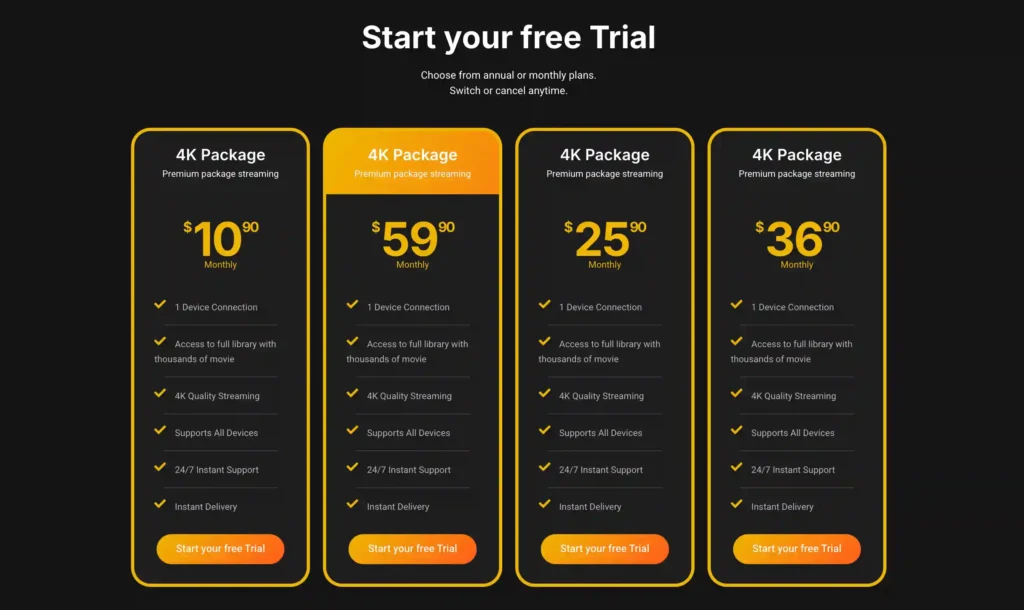
A free trial is available for eligible new users. Subscription prices and promotions can change, so it’s recommended to check the officiel website vibecast tv
Best IPTV Apps for Firestick in 2026
1. TiviMate — Best Overall for Fire OS Devices
TiviMate is designed around a television-style interface and remote navigation.
Its current feature set includes:
- EPG
- Multiple playlists
- Favorites
- Catch-up
- Recording
- Search
- Parental controls
- Multiview
- Customization
The official TiviMate listing describes support for common playlist formats including M3U, Xtream Codes and Stalker Portal. It also states that TiviMate is designed for Android TV and remote-control navigation.
Best for:
Users who want a polished TV-style player with advanced organization and viewing features.
Advantages:
- TV-focused interface
- Strong EPG functionality
- Multiple playlist support
- Recording features
- Multiview
- Extensive customization
Limitations:
- It is not a content provider
- Compatibility depends on the Fire TV operating system
- Some advanced features require the paid version
Our verdict:
For a compatible Fire TV device, TiviMate is a strong all-around choice for users who prioritize an advanced TV interface.
2. Sparkle TV — Best for DVR and Advanced TV Features
Sparkle TV is another feature-rich television player.
Its official site lists support for:
- M3U/M3U8
- XMLTV
- EPG
- Multiple sources
- Favorites
- Timeshift
- DVR
- Multiview
- VOD
- Multiple audio tracks
- Subtitles
- Auto Frame Rate
- Parental controls
Some features require Sparkle TV Plus.
Best for:
Users who want DVR, timeshift and advanced television-player features.
Advantages:
- EPG support
- DVR
- Timeshift
- Multiview
- Multiple sources
- Remote-control customization
Limitations:
- Some features require Plus
- Compatibility should be checked for the specific Fire TV model
Our verdict:
Sparkle TV deserves consideration if recording and advanced live-TV functionality matter more to you than having the simplest possible player.
3. Smarters Player — Best for Multi-Platform Users
Smarters Player is another media-player option designed for multiple devices.
Its official documentation says the app itself does not provide playlists, channels or media content and that users are responsible for the content sources they use.
The platform information published by the developer includes Android TV, Amazon Fire TV, iOS, Windows, macOS and several Smart TV platforms.
Best for:
Users who want a player that can be used across multiple types of devices.
Advantages:
- Broad platform support
- Familiar player concept
- Playlist-based setup
- Useful for households using several device types
Limitations:
- Feature availability can vary between versions and platforms
- You should verify the current official version before installing
Our verdict:
Smarters Player is worth considering if cross-device compatibility is more important to you than having the deepest Fire TV-specific feature set.
4. VLC — Best Simple Free Media Player
VLC is a free, open-source multimedia player from VideoLAN.
The official VLC site describes support for a wide range of media formats and streaming protocols.
VLC is not designed specifically as a full IPTV management interface, so it may not offer the same TV-guide experience as dedicated IPTV players.
Best for:
Users who want a straightforward media player or a useful backup option.
Advantages:
- Free
- Open source
- Broad media compatibility
- Supports streaming protocols
- Available across many platforms
Limitations:
- Not a dedicated IPTV management interface
- EPG and advanced IPTV organization are not its main focus
Our verdict:
VLC is better viewed as a flexible media player than as a complete IPTV dashboard.
5. Kodi — Best for Advanced Media-Center Users
Kodi is an open-source media-center application maintained by the Kodi Foundation.
Its official site explains that Kodi itself does not contain content and is intended to work with content supplied by the user or other legitimate sources. Kodi also warns against using it for pirated content.
Kodi is powerful, but it can require more configuration than a dedicated IPTV player.
Best for:
Advanced users who want a customizable media-center environment.
Advantages:
- Open source
- Highly customizable
- Large ecosystem
- Supports multiple types of media
- Strong remote-friendly interface
Limitations:
- More complicated than dedicated IPTV players
- Setup can require additional configuration
- Availability and installation method depend on the Fire TV operating system
Our verdict:
Kodi is best suited to users who want a broader media-center platform rather than a simple plug-and-play IPTV interface.
Best IPTV Apps for Firestick: Comparison
| App | Best For | EPG | DVR | Multiview | Difficulty |
|---|---|---|---|---|---|
| TiviMate | Advanced IPTV interface | Yes | Yes | Yes | Medium |
| Sparkle TV | DVR & live-TV features | Yes | Yes | Yes | Medium |
| Smarters Player | Beginners & multiple devices | Yes | Varies | Varies | Easy–Medium |
| VLC | Simple media playback | No dedicated IPTV EPG | No | No | Easy |
| Kodi | Advanced media center | Depends on configuration | Depends on setup | Depends on setup | Advanced |
Feature availability can change by version, operating system and paid tier, so verify the current app documentation before installation. TiviMate and Sparkle TV publish their current feature sets on their respective official sites.
How to Choose the Right IPTV App
Choose TiviMate if:
You want:
- A TV-first interface
- Advanced EPG
- Multiple playlists
- Recording
- Multiview
- Extensive customization
Choose Sparkle TV if:
You care about:
- DVR
- Timeshift
- Multiple sources
- EPG
- Multiview
- Advanced live-TV features
Choose Smarters Player if:
You prefer:
- A familiar interface
- Multiple device platforms
- Straightforward playlist management
Choose VLC if:
You need:
- A simple free player
- Broad media compatibility
- A backup playback application
Choose Kodi if:
You want:
- A complete media-center environment
- Extensive customization
- Advanced configuration options
How to Install a Firestick Streaming App Safely
The safest starting point is the Amazon Appstore.
Amazon’s Fire TV documentation explains that Fire TV uses the Amazon Appstore for apps, while Amazon also documents sideloading as a separate installation method for compatible applications.
If an application is not available through the Appstore:
- Check the developer’s official website.
- Confirm that the application supports your exact Fire TV model.
- Verify whether your device uses Fire OS or Vega OS.
- Download software only from a source you trust.
- Avoid modified APK files.
- Avoid unofficial download pages that bundle unknown software.
- Review the application’s privacy policy before installing it.
Do not install an APK simply because a random website lists it as the “latest version.”
What About New Vega OS Firesticks?
This is especially important in 2026.
Amazon says the Fire TV Stick 4K Select uses Vega OS and that future Fire TV Stick products will move to Vega OS.
Amazon’s current software information also identifies the Fire TV Stick HD 2nd generation as a Vega OS device.
That means older guides explaining Android-based sideloading may not apply to every new Firestick.
Always check your exact model and operating system before following an installation guide.
Are IPTV Apps Legal?
An IPTV player is simply software. Its legality does not depend on the number of channels shown in an advertisement or the fact that an app supports a particular playlist format.
The important issue is the content source.
TiviMate states that it does not provide content and does not endorse illegal sources. Sparkle TV similarly states that it does not provide channels or media. Kodi also says its official software contains no content and does not endorse pirated content.
Use streaming sources that you are authorized to access in your location.
Common IPTV App Problems on Firestick
If a legitimate streaming player is not working correctly, start with basic troubleshooting:
App won’t open
Try:
- Restarting Fire TV
- Updating the application
- Checking available storage
- Clearing the app cache
- Reinstalling the application
EPG isn’t loading
Check:
- Your playlist/source
- EPG configuration
- Internet connection
- App version
- Whether the source actually provides EPG information
Video keeps buffering
Check:
- Wi-Fi signal
- Internet connection
- Router performance
- Device storage
- Application version
- Whether the problem occurs with other legitimate streaming services
Remember that an IPTV player cannot fix a problem originating from the underlying content source.
Frequently Asked Questions
What is the best IPTV app for Firestick in 2026?
For compatible Fire OS/Android-based Fire TV devices, TiviMate is a strong overall choice because of its TV-focused interface and feature set. Sparkle TV is another strong option for users who prioritize DVR and advanced live-TV features.
Do IPTV apps come with channels?
Usually, no. Dedicated players such as TiviMate and Sparkle TV explicitly state that they do not provide channels or media content.
Does TiviMate work on every Firestick?
No. Compatibility depends on the operating system and device. Newer Vega OS Fire TV models should not be treated as identical to older Fire OS models.
Is VLC an IPTV app?
VLC is primarily a general-purpose multimedia player. It can handle streams and many media formats, but it does not provide the same dedicated IPTV guide and management experience as TiviMate or Sparkle TV.
Is Kodi an IPTV service?
No. Kodi is an open-source media-center application. The official Kodi software does not provide television channels or paid streaming subscriptions.
Should I install an APK from a random website?
No. Use the Amazon Appstore where available, or obtain software from the application’s official developer source. Avoid modified or unknown APK files.
Final Verdict
There is no single IPTV app that is perfect for every Firestick user.
TiviMate is a strong choice for users who want a polished, TV-oriented IPTV player with advanced organization and viewing features.
Sparkle TV stands out for users interested in DVR, timeshift and other advanced live-TV functions.
Smarters Player makes sense for people who value broad platform support.
VLC is a useful free general-purpose media player, while Kodi is better suited to advanced users who want a customizable media-center environment.
Most importantly, check your Firestick’s operating system before choosing an app. Amazon’s transition toward Vega OS means that installation and compatibility advice written for older Fire TV devices may not apply to every 2026 model.
And remember: the player is only the software interface. It does not determine whether the content source you connect to is authorized. Always use content you have the right to access.







