
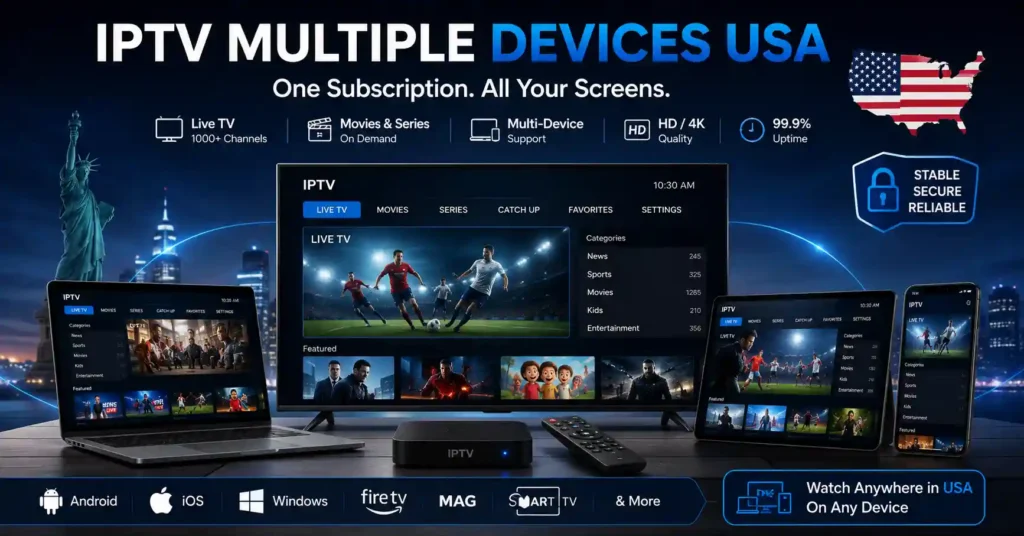
By KAVANI | Fact-checked: July 30, 2026
Direct answer: You can usually install an authorized IPTV or live TV application on several supported devices, but that does not mean every device can play simultaneously. U.S. services currently permit anywhere from one stream to several home streams, depending on the platform and plan. Household, home-network, location, and television-device restrictions may also apply.
A family may have a smart TV in the living room, a Fire TV Stick in the bedroom, a tablet in the kitchen, and several phones. Installing a streaming application on all of them is generally straightforward. The difficult part is understanding how many can actually play video at the same time.
The phrase IPTV multiple devices USA can refer to several different things:
- Installing an app on multiple devices
- Signing in on multiple devices
- Creating several profiles
- Watching several streams simultaneously
- Using an account from more than one location
These are not interchangeable. A service may allow unlimited installations but only two active streams. Another may allow many streams at home but restrict television devices in a second house.
This guide compares official U.S. live TV platforms and explains how to plan a lawful multi-device setup. It is based on official provider documentation rather than hands-on testing.
Table of Contents
Can You Use IPTV on Multiple Devices?
Yes, provided the service supports each device and the account remains within its simultaneous-stream and household rules.
Supported devices
A service’s supported-device list tells you where its official application can be installed. Common categories include:
- Smart televisions
- Roku
- Amazon Fire TV
- Apple TV
- Android TV and Google TV
- Phones and tablets
- Web browsers
- Gaming consoles
The exact model and operating-system version matter. An application may work on a recent Samsung television but not on an older model.
Installed devices
Some services allow the application to remain signed in on many devices. Hulu, for example, says users can activate the application on as many supported devices as they want, while the standard account still permits only two simultaneous streams.
This means an account could be available on:
- A living-room television
- A bedroom streaming device
- A phone
- A tablet
- A laptop
Only the permitted number may play at the same time.
Profiles
Profiles normally separate:
- Viewing history
- Favorites
- Recommendations
- DVR libraries
- Parental settings
Profiles do not necessarily add streams. A service might offer several profiles but still allow only two or three active devices.
Simultaneous streams
A simultaneous stream is one device actively playing live or on-demand video.
Examples:
- One television playing live news = one stream
- One phone playing sports = one stream
- One laptop playing a recording = one stream
Opening an app without playing video may not count, but provider behavior varies.
Home-network and household rules
Some services distinguish between:
- Devices on the designated home internet connection
- Mobile devices away from home
- Connected televisions in another property
- Members of the same household
- People sharing credentials from unrelated locations
YouTube TV requires family-group members to primarily live in the same household. Hulu and Fubo also apply home-network or household rules, particularly to television-connected devices.
Official U.S. Services Compared by Stream Limit IPTV on Multiple Devices
Stream limits and location rules were checked on July 30, 2026 and may change.
| Service | Standard simultaneous use | Expanded option | Main location restriction |
|---|---|---|---|
| VibeCastTV | Three devices | 4K Plus adds unlimited home-network streams | Family members must primarily live in the same household |
| Hulu + Live TV | Two devices | Unlimited Screens at home and up to three mobile streams away | TV-connected devices are tied to the Hulu Household |
| Sling TV | Orange: one; Blue: three; eligible combinations: up to four | Depends on package | Orange networks retain single-stream restrictions |
| Fubo | Current U.S. English plans: up to ten at home plus three mobile/browser streams away | Included on current applicable plans | Connected TVs may stream from only one location at a time |
| DIRECTV via Internet | Most customers: unlimited at home and three away | Plan and service type dependent | Only two of the three away streams may be TV-connected devices |
| Philo | Three devices | No broader stream option documented in the cited rule | Starting a fourth stream ends the longest-running one |
Official limits:
How the Major Services Handle IPTV on Multiple Devices
VibeCastTV Review (2026): Best IPTV Service on Multiple Devices in the USA
VibeCastTV is an IPTV subscription service designed for users who want to stream live television and on-demand entertainment across multiple devices. The platform focuses on providing an easy setup experience, flexible subscription plans, and compatibility with many popular IPTV applications.
Whether you’re looking for news, entertainment, sports programming, or international channels, VibeCastTV aims to offer a convenient streaming solution for users in the USA, Canada, and other supported regions.
Key Features
📺 Live Television
VibeCastTV provides access to a wide range of live television categories, including entertainment, news, lifestyle, children’s programming, and international content.
🎬 Video on Demand
Subscribers can browse a library of on-demand content, with new titles added periodically depending on availability.
🖥️ Multi-Device Compatibility
The service is compatible with many popular IPTV devices and applications, including:
- Amazon Fire TV & Fire Stick
- Android TV
- Android smartphones and tablets
- iPhone & iPad
- Windows PCs
- Mac computers
- Smart TVs
- IPTV Smarters
- TiviMate
- XCIPTV
- Other apps that support M3U playlists or Xtream Codes API
📡 Streaming Quality
Where supported by the source and internet connection, streams may be available in:
- HD
- Full HD (1080p)
- 4K Ultra HD
Actual quality may vary depending on content availability, device capabilities, and network performance.
⚡ Quick Setup
New customers receive setup information after subscribing, making it possible to start using the service in a short amount of time.
💬 Customer Support
VibeCastTV provides customer assistance for account setup, installation, and general service questions.
Services
Depending on the subscription plan, VibeCastTV may include access to:
- Live TV
- Entertainment channels
- News channels
- Sports programming
- Kids’ content
- International channels
- Video-on-Demand (VOD)
- Electronic Program Guide (where supported)
- Multi-device compatibility
- Setup assistance
Available content may vary over time.
Pricing
VibeCastTV offers several subscription lengths, allowing users to choose the option that best fits their needs.
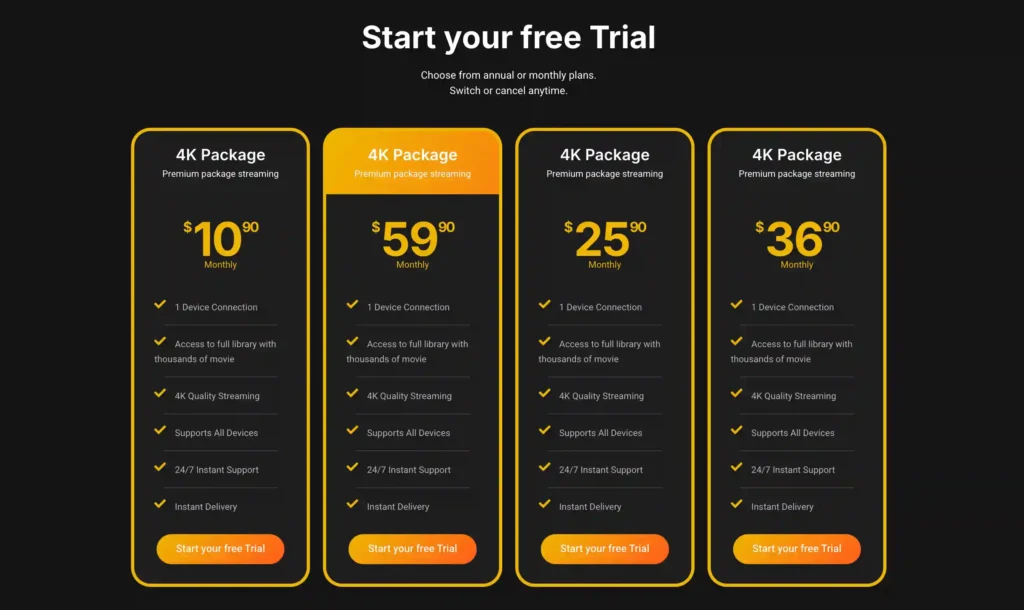
A free trial is available for eligible new users. Subscription prices and promotions can change, so it’s recommended to check the official official VibeCastTV website.
Hulu + Live TV
Hulu allows its application to be activated on numerous supported devices but normally permits only two simultaneous screens. A third active device may receive a stream-limit error.
Eligible Live TV subscribers can add Unlimited Screens. This allows simultaneous viewing on supported devices connected to the home network and up to three supported mobile streams away from home. Premium-network content may have separate limits.
Hulu also uses a Household system. A TV-connected device outside the recognized Household may require verification or a separate subscription.
Useful for: Households wanting a live TV and on-demand bundle.
Important limitation: The standard two-stream allowance may be restrictive for families.
Sling TV
Sling’s connection limit depends heavily on the package:
- Sling Orange: one stream
- Sling Blue: up to three streams
- Eligible Orange-and-Blue or combined packages: up to four total streams
Orange channels such as applicable Disney or ESPN networks remain limited to one Orange stream, even when the subscription includes a broader combined allowance.
Useful for: Viewers who understand exactly which package and channels they need.
Important limitation: A combined plan does not make every channel available on four devices.
Fubo
Current U.S. English Fubo plans document up to ten simultaneous streams on the designated Home Network, plus three additional streams outside the home on supported mobile devices or web browsers.
The location rules are important. Connected televisions and TV streaming devices can generally be used from only one location at a time. Two households cannot normally play Fubo simultaneously on connected televisions under one account.
Useful for: Larger households with several televisions on one home network.
Important limitation: High in-home capacity should not be interpreted as unrestricted multi-house sharing.
DIRECTV
Most DIRECTV customers receiving service through an internet connection can use unlimited compatible devices on the home network and up to three streams away from home. Only two of the three away streams may be on devices connected to televisions.
Satellite customers using the DIRECTV application have a separate allowance of five concurrent streams, so subscribers must check which DIRECTV service type they have.
Useful for: Homes requiring many television streams on one network.
Important limitation: Rules differ between internet-connected and satellite customers.
Philo
Philo permits three different streams at the same time. When a fourth begins, the longest-running stream stops.
Philo supports numerous television, mobile, tablet, and browser platforms, but minimum operating-system requirements vary.
Useful for: Small or medium households needing three entertainment streams.
Important limitation: There is no extra fourth standard stream under the cited rule.
How Many Streams Does Your Household Need?
Count the highest number of people likely to watch different programs simultaneously.
One-person household
One stream may be enough, even when the application is installed on several devices. You can stop playback on the television and continue on a phone or laptop.
Couple or small household
Two streams normally cover separate viewing in two rooms. Confirm whether both preferred channels are subject to the same package restrictions.
Family with several televisions
A family may need three or four simultaneous streams when:
- Parents watch one program
- Children watch another
- A third person uses a tablet
- Someone watches sports in another room
Large household or shared living arrangement
Look for:
- Expanded in-home stream options
- Separate user profiles
- Strong parental controls
- Clear home-network terms
- Support for every television model
Do not assume that a large stream allowance authorizes unrelated people in separate homes to share the account.
How to Set Up an Authorized Service on Several Devices
1. Confirm compatibility
Check the provider’s official supported-device page for the exact:
- Device model
- Operating system
- Application version
- Browser requirement
- Geographic availability
2. Install from official stores
Use the device’s recognized application store or the verified developer website.
Avoid unknown APK repositories, modified players, and download links supplied through unsolicited messages.
3. Sign in through the official process
Use the account, activation code, or credentials supplied by the authorized service.
Enter only account information or playlist details supplied by a provider you are authorized to use. VibeCastTV does not provide playlists, server access, portal URLs, usernames, passwords, or television credentials.
4. Create profiles
Create individual profiles when the service supports them. This prevents viewing history and recommendations from becoming mixed.
Remember that profiles do not increase the stream limit unless the provider explicitly says they do.
5. Set the home network
Services such as Hulu, Fubo, and DIRECTV may require a designated home connection. Set this while connected to the residential network where the service is primarily used.
6. Test simultaneous playback
Start playback on the number of devices your household expects to use:
- Begin a stream on the main television.
- Start a different program on a second device.
- Add another device until the documented limit is reached.
- Note any location or connection error.
- Stop playback after testing.
7. Secure the account
Use:
- A unique password
- Two-factor authentication when offered
- Official account-recovery methods
- Device-management or “sign out everywhere” features
- Separate profiles instead of sharing the master password unnecessarily
The FTC recommends strong, unique passwords and other available account protections.
Why You See a “Too Many Devices” Error
| Symptom | Likely cause | Recommended action |
|---|---|---|
| A new stream stops an older stream | Simultaneous limit reached | Stop playback on an unused device |
| Television works at home but not elsewhere | Home-network or Household rule | Review the official location policy |
| App remains signed in on an old device | Forgotten active session | Use account device management or sign out everywhere |
| One channel fails on a combined Sling plan | Channel-specific stream restriction | Check whether it belongs to the Orange package |
| Mobile device works but second TV does not | TV-location restriction | Stop the connected-TV stream at the other location |
| Error continues after all streams stop | Session did not close correctly | Restart the app and wait briefly before retrying |
| Unknown devices appear | Account may be compromised | Change the password and sign out all devices |
| Playback buffers only when several screens run | Home-network capacity issue | Pause other traffic and test fewer streams |
Do not create another account, change DNS settings, install unknown software, or use a VPN merely to evade a legitimate stream limit.
Multi-Device Streaming and Internet Capacity
Each active stream consumes part of the home’s available internet capacity. A speed test performed beside the router may not reflect the connection available to a television in another room.
For a multi-device setup:
- Test speed near each viewing device.
- Use Ethernet for stationary televisions when practical.
- Place the router away from enclosed cabinets and interference.
- Pause large downloads and cloud backups during testing.
- Reduce playback quality temporarily to identify capacity problems.
- Restart network equipment only when the issue affects several services.
- Compare another authorized streaming application.
A provider’s stream allowance does not guarantee that the home network can support that many high-resolution streams simultaneously.
Account Sharing, Household Rules and Legal Use
A subscription’s stream limit is not permission to distribute the account publicly or sell access to other people.
Before sharing within a family, check:
- The provider’s definition of Household
- Whether members must live at the same address
- Away-from-home check-in requirements
- Television-device location limits
- Password-sharing rules
- Number of permitted profiles
Do not use stolen accounts, shared public credentials, modified applications, or methods intended to bypass household restrictions. The U.S. Copyright Office explains that bypassing password systems used to control access to streaming services can violate anti-circumvention law.
Common Mistakes to Avoid
- Assuming “works on all devices” means unlimited concurrent streams
- Confusing profiles with connections
- Purchasing a one-stream plan for a multi-TV household
- Sharing the main password through group chats
- Leaving unused devices playing in the background
- Ignoring home-network requirements
- Using outdated applications
- Installing unverified APKs
- Paying for extra connections without written terms
- Believing a player license includes television content
- Trying to bypass a provider’s connection limit
- Assuming a VPN creates additional streams
A VPN does not make unauthorized streaming legal and may violate a platform’s terms when used to bypass geographic or household restrictions.
Limitations of This Guide
This guide does not include:
- Hands-on testing of each service
- Independent account-sharing tests
- Network-performance measurements
- Provider uptime measurements
- Verification of unfamiliar IPTV resellers
- Guarantees that stream limits will remain unchanged
- Legal advice for a particular account dispute
All limits should be reconfirmed through the official provider before purchase.
Frequently Asked Questions
Can I install one IPTV account on multiple devices?
Often, yes. Many services allow their application to remain installed or activated on several supported devices. The number that can play simultaneously is controlled separately.
Can two TVs watch different channels at the same time?
Yes, when the subscription provides at least two simultaneous streams and both televisions comply with the service’s home-network or location rules.
Do profiles provide additional streams?
Usually not. Profiles organize individual viewing preferences but remain subject to the account’s overall simultaneous-stream limit.
Does casting count as a stream?
The content being played generally uses one active account stream. Whether the phone also counts separately depends on how the service implements casting, so check the provider’s official support documentation.
Can family members watch from different houses?
Some mobile or browser use may be permitted away from home, but many services restrict connected televisions to one Household or home location. Do not assume a multi-stream allowance authorizes sharing between separate homes.
Why did my fourth Philo stream stop another device?
Philo allows three simultaneous streams. Starting a fourth stops the stream that has been running longest.
Which official service allows the most home streams?
Based on the rules checked on July 30, 2026, current Fubo U.S. English plans document up to ten home streams, while most DIRECTV internet-connected customers and YouTube TV customers with 4K Plus may receive unlimited concurrent home-network streams. Their location, device, and plan conditions differ.
Final Recommendation
Choose a service by the number of people who will watch simultaneously—not by the number of devices on which the application can be installed.
For a small household, two or three streams may be enough. Larger homes should compare expanded in-home options and carefully review television-location rules. Confirm each device model, home-network requirement, household condition, and concurrent-stream allowance before paying.
Copyright and Lawful-Use Notice
Copyright and lawful-use notice: This article is intended for general education and lawful troubleshooting. VibeCastTV does not sell IPTV subscriptions, host television channels, provide streaming credentials, distribute playlists, or encourage copyright infringement. Readers should use only services and content they are authorized to access. Provider licensing, platform availability, and streaming rights vary by country and may change over time.







